Documentation
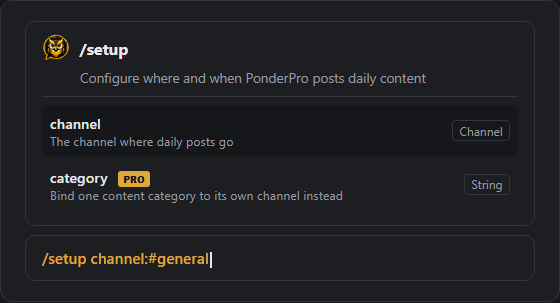
Everything below is also just /setup away - Discord shows every
command's options as you type, so this page is a reference, not a requirement.
Quick start
- Add PonderPro to your server.
- Click Set up PonderPro on the welcome message it posts, or run
/setupwith no options. One panel sets your channel, timezone, daily post time, and what to post, checks that PonderPro has the permissions it needs, and can post a sample right away. - That's it - your chosen categories post daily at the time you picked. Each Question of the Day opens a thread for answers, so the main channel stays tidy.
Two ways to configure everything
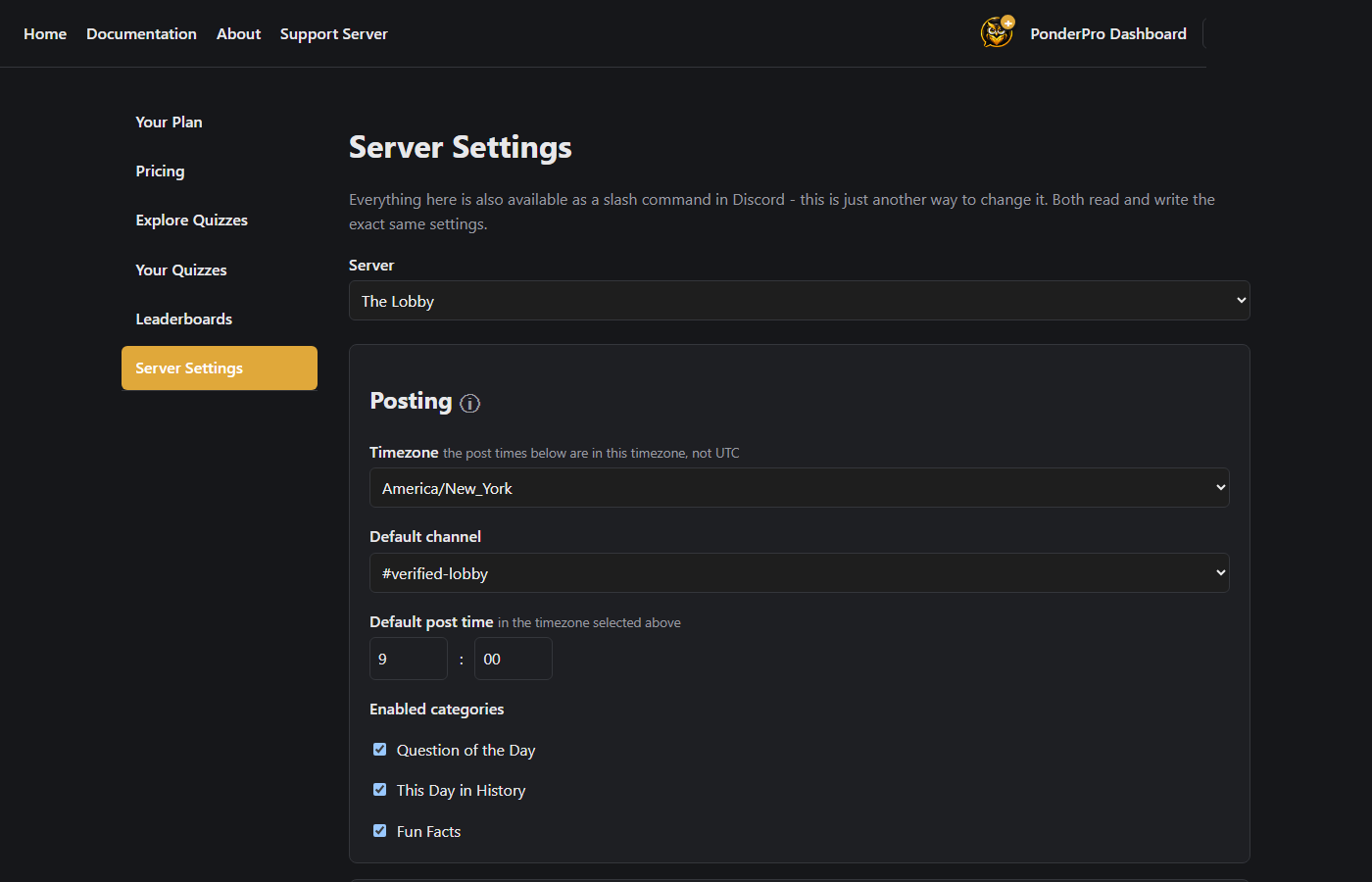
Every setting below works as a slash command in Discord. The web Dashboard has the same settings on one page if you'd rather not remember command names - both read and write the exact same configuration, so switching between them any time is safe.
Commands
Setup & schedule
/setup- open the guided setup panel (channel, timezone, post time, and categories in one place)./setup channel: category:- set the channel PonderPro posts to directly. PRO Addcategory:to give one category its own channel./schedule hour: minute: category:- set the daily post time, in your server's timezone. PRO Addcategory:to give one category its own time./timezone tz:- set your server's timezone so/schedulemeans local time, not UTC./category qotd: history: facts: poll:- choose which categories post at all./testpost category:- post a category right now to check your setup.
PRO The Dashboard's Server Settings page also has a Weekly Schedule card: pick which days of the week each category posts on.
Content & engagement
/qotdtopics- choose which Question of the Day topics are included./historytopics- choose which parts of the daily history digest (events, births, deaths, holidays) are included./voteemoji emoji:- change the emoji members react with to vote on answers./pingrole category: role:- ping a role whenever a category posts./leaderboard type: window:- see who's leading, Question of the Day streaks or Quiz points.
Content queue
/queue list category: subcategory:- browse every card in a pool (Question of the Day, Fun Facts, or Poll): which are on or off, when each last posted, and what's up next. Cards that haven't posted come first./queue next id:- see what posts next in each category, or addid:to choose the next card yourself, from the starter deck or your community's submissions, even one that already posted./queue random category:- drop a card you chose and go back to a random pick./queue toggle id:- turn one card off so it never posts, or back on, by the id shown in/queue list./queue delete id:- delete one of your server's own prompts, polls, or facts, which frees its slot under your limit. Starter deck cards can only be turned off.- The Dashboard's Queue page does all of this with buttons, plus a filter for cards that have or haven't posted, and Add prompts: paste your own Question of the Day prompts, one per line, and they're added to your server straight away, no review step.
- Seeing and choosing what's next works for Manage Server or the role set with
/promptapproverole; turning cards on and off, deleting, and adding prompts need Manage Server.
Community submissions
Everything your server approves or adds stays in your server: approved prompts, polls, and facts only ever post here, never in anyone else's server.
/submitprompt question: topic:- suggest a new Question of the Day for your server's staff to review./promptrole role:- restrict who can submit prompts to one role./promptapproverole role:- let a role also approve/reject prompts without full admin access./submitfact fact:PRO - submit a fact about your own server to your own private Fun Facts pool./review- see everything pending your approval, prompts and facts together./approve id://reject id:- approve or reject a pending submission by the id shown in/review.
Birthdays
/setbirthday date:- set your own birthday (MM/DD, or MM/DD/YYYY to also share your age)./removebirthday- remove your stored birthday./birthdaychannel channel:- choose where shout-outs post (defaults to your main channel)./birthdaymessage type: template:- write your own shout-out text, with{user},{age}, and{join_date}placeholders.
Quizzes
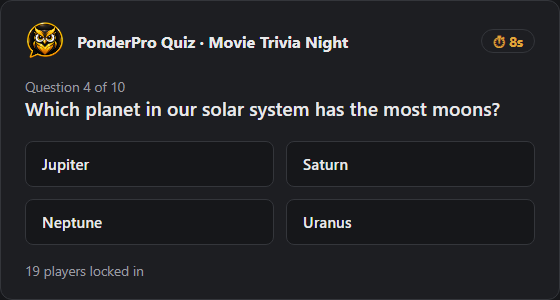
/quizplay id:- start a live, Kahoot-style quiz session in the current channel./quizchannel channel:- choose where quizzes started from the Dashboard's Play Now button post.- Build your own quizzes, or browse public ones, from the Dashboard's Explore and Your Quizzes pages.
AI Quiz Generator
On any quiz's edit page in the Dashboard, describe what the quiz should be about (a topic, or a sentence like "generation 1 Pokemon and their abilities"), pick a difficulty and how many questions, and optionally paste source text to build the quiz from. PonderPro writes the questions, each with four answers and a short explanation, and adds them to your quiz as normal, editable questions.
- Review before you play. AI can get facts wrong. AI-written questions are marked until you open and save each one, so check them before running the quiz.
- Rerolls. Don't like a question? Reroll it for a new one on the same topic, up to 3 per generation within 24 hours, free.
- Allowances. Basic: 1 generation a month per server. PRO 2 a week. Pro Plus: 4 a week, shared across your servers. Weekly allowances reset Sunday at midnight in your server's timezone; failed generations don't count.
- If it can't write as many questions as you asked for without guessing, it adds fewer and tells you why. Approved public quizzes are locked so they stay as reviewed; make a private copy to edit or generate more.
Polls
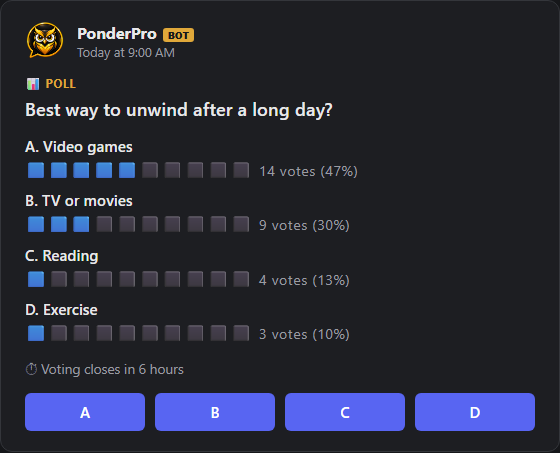
/poll question: option1: option2: ... duration_minutes: results: multi_select: color:- start a poll right now in this channel, open to any member. Free tier: up to 4 options, a fixed 24-hour window, hidden results. PRO unlocks up to 10 options, a configurable window (15 minutes to 7 days), live results, and multi-select./submitpoll question: option1: option2: ...- suggest a poll question for your server's staff to review, added to your server's scheduled rotation once approved./category ... poll:- turn on scheduled polls (the starter deck plus your server's own) alongside the other daily content.- Or skip the command entirely: the Dashboard's Poll Builder posts a poll from a form, and Poll History PRO keeps a durable record of past polls, their final vote counts, and the winning option.
Pro & billing
/upgrade- start a Pro subscription for this server./referral- get your server's referral code - both sides get a free month when a referred server converts./redeem code:- redeem a promo code for free Pro access./statsPRO - server engagement analytics: answers, posts, and your most active members.
Full plan management (switching monthly/annual, adding servers to Pro Plus, cancelling) lives on the Dashboard's Your Plan page - see About for what each tier includes.
Need help?
Join the support server or email support@ponderpro.app.